Quote it. Bill it.Get paid.
The iPhone app for estimates and invoices, built for the trades: electricians, plumbers, HVAC, handymen, cleaners, landscapers and more.
 Download on the App Store


Built for the job,not the office.
Say what you did
Write the job in plain words. Handbill suggests the lines, priced with your own rates.
Invoice in one tap
Client said yes? Turn the estimate into an invoice. Every line, tax and discount comes across.
Know who's late
Overdue invoices are flagged, with a polite reminder ready to send.
$0 in payment fees
Clients pay you directly, the way they already do. Apps that process payments keep about $30 of a $1,000 job paid by card. Handbill never takes a cut.
Look established
Clean PDFs with your details, in eight styles with your logo. Paid invoices work as a receipt.
No account, works offline
Basement, rooftop, no signal. Your data stays on your phone.
Invoices that look likeyour business.
Eight invoice styles, each laid out for a different kind of work, in ten colors. Pick one in Settings and watch the live preview change. Every invoice and estimate uses it from then on.

Classic Free
Black on white, like a printed form. Clean and readable for any job.

Modern Pro
Your color on the title, headings and total.

Bold Pro
A solid color band with your logo and business name.

Statement Pro
The amount due in large type at the top. Made for cleaning, lawn care and repeat visits.

Work order Pro
Boxed fields, a gridded table and a line for the customer to sign. Made for plumbing, HVAC, electrical and auto repair.

Contractor Pro
A color stripe and cards for the client, project and dates. Made for roofing, remodeling and bigger jobs.

Ledger Pro
A boxed table with shaded rows, easy to scan on long jobs.

Elegant Pro
Serif type and fine lines, for a premium feel.
Real invoices made in Handbill with sample businesses. Classic is free; the other seven come with Pro.
Your logo,your way.
Add your logo from Photos and make it fit. No design app needed.
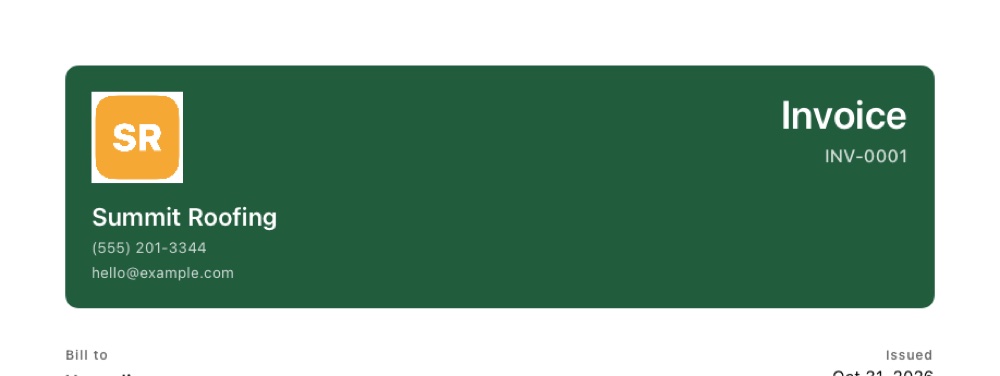
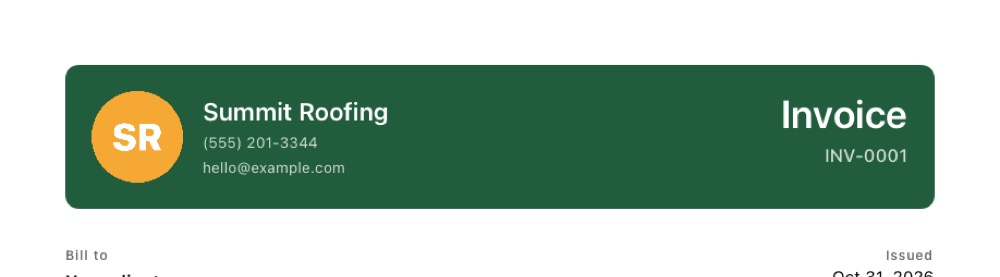
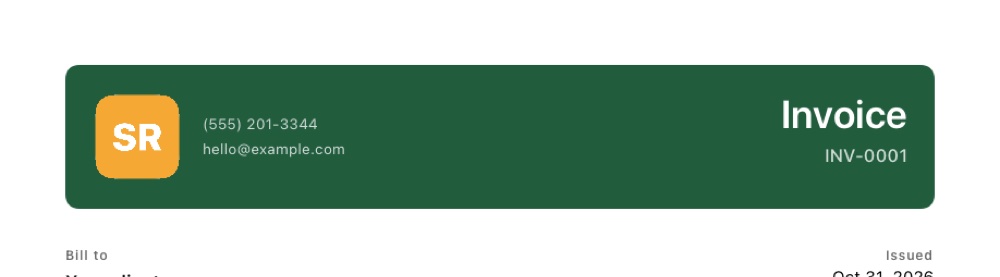
Shape
Keep it as is, round the corners, or crop it to a circle.
Size and position
Small, medium or large, above your business name or beside it.
Hide the name
If your logo already spells out your business name, turn the printed name off so it isn't there twice.
Remove white background
Logo saved on a white box? Handbill clears the white around it, and keeps white lettering inside it, so it sits cleanly on any color.
Your original logo is never changed, so you can switch any option back.
New phone?Bring everything.
Back up Handbill to one file and restore it on any iPhone. Free for everyone, because it's your data.
All of your work
Clients, invoices and estimates with their photos, signatures and payments, plus repeating invoices.
Your setup
Business details, logo, your trades, saved items and prices, numbering, tax, payment terms and invoice style.
Your settings
Follow-up timing and message tone come back the way you left them.
Safe to restore
Handbill asks before replacing anything, and if a restore fails, nothing on the phone changes.
No account and no cloud: save the file to Files, AirDrop it or email it to yourself. Your normal iPhone backup includes Handbill too.
Made for your trade,from the first tap.
Pick your trade on first launch. Handbill fills in the jobs, units and wording you already use, then you set your own prices.
Start free.Upgrade when it pays.
Free
$0
- Unlimited estimates and clients
- 3 invoices
- PDFs by email or message
- Trade setup and Describe the job
- Paid, sent and overdue tracking
- Back up and restore
Pro
$7.99 / month
or $49.99 a year: save 48%, just $4.17 a month, with a free first week
- Unlimited invoices
- Your logo on every PDF: circle, rounded, any size
- Seven more invoice styles in ten colors
- No Handbill footer
- Overdue reminders
No payment processing, so no fees on what your clients pay you. Cancel any time in your Apple ID settings. How Handbill compares.
Download on the App Store
Questions,answered.
Is Handbill free?
Yes. The free plan has unlimited estimates and clients and 3 invoices. Handbill Pro is $7.99 a month or $49.99 a year (save 48%, just $4.17 a month, and the yearly plan starts with a free week) and unlocks unlimited invoices, your logo on the PDF, seven extra invoice styles in your color and logo options, no Handbill footer, and overdue reminders.
Does Handbill take a cut of my payments?
No. Handbill never processes payments. Clients pay you directly by cash, check, bank transfer, Zelle, Venmo or card through your own reader, and you mark the invoice paid. There are no payment fees.
Do I need an account or internet?
No account and no sign-up. Handbill works offline, so you can write an estimate in a basement or on a roof. Your data stays on your iPhone and is included in your normal iPhone backup.
Which trades is Handbill for?
Any solo trade or small service business. On first launch you pick your trade, such as electrician, plumber, HVAC, handyman, house cleaning, lawn care, landscaping, painting, pressure washing, roofing, carpentry, flooring, pool service, appliance repair, pest control, window cleaning, junk removal or mobile mechanic, and Handbill fills in the common jobs, units and wording.
Can I turn an estimate into an invoice?
Yes. When the client says yes, one tap turns the estimate into an invoice with every line, tax and discount copied over.
How do I send an invoice?
Handbill makes a clean PDF with your business details. Send it by email, text message or any app from the share sheet. Paid invoices work as a receipt.
Can I make my invoices look like my business?
Yes. Handbill has eight invoice styles, including Statement, Work order and Contractor layouts made for different trades, in ten colors. Pro adds your logo, which you can crop to a circle or rounded shape, size, place beside or above your name, and clear of its white background. Classic is free; the other seven styles are part of Pro.
How do I move Handbill to a new iPhone?
Go to Settings, then Back up and restore, and save a backup file. On the new iPhone, open Handbill and choose Restore from a backup. Clients, invoices, estimates, photos, payments, saved prices, your trades, logo, invoice style and settings all come back. It's free, and your normal iPhone backup includes Handbill too.
Does it work on Android or the web?
Handbill is an iPhone app for iOS 17 and later. There is no Android or web version.
Where do I get Handbill?
Download it free from the App Store on your iPhone. Search "Handbill invoice" or use the button below.
Your next job,invoiced on site.
Free to start. No account, no fees on what your clients pay you.
Download on the App Store